> For the complete documentation index, see [llms.txt](https://workmate.gitbook.io/workmate-changelog/llms.txt). Markdown versions of documentation pages are available by appending `.md` to page URLs; this page is available as [Markdown](https://workmate.gitbook.io/workmate-changelog/updates/nov-18-2025.md).
# Nov 18, 2025
25.11.18
**Unsaved Changes in Work Orders Can be Recovered on Shopify POS**\
\
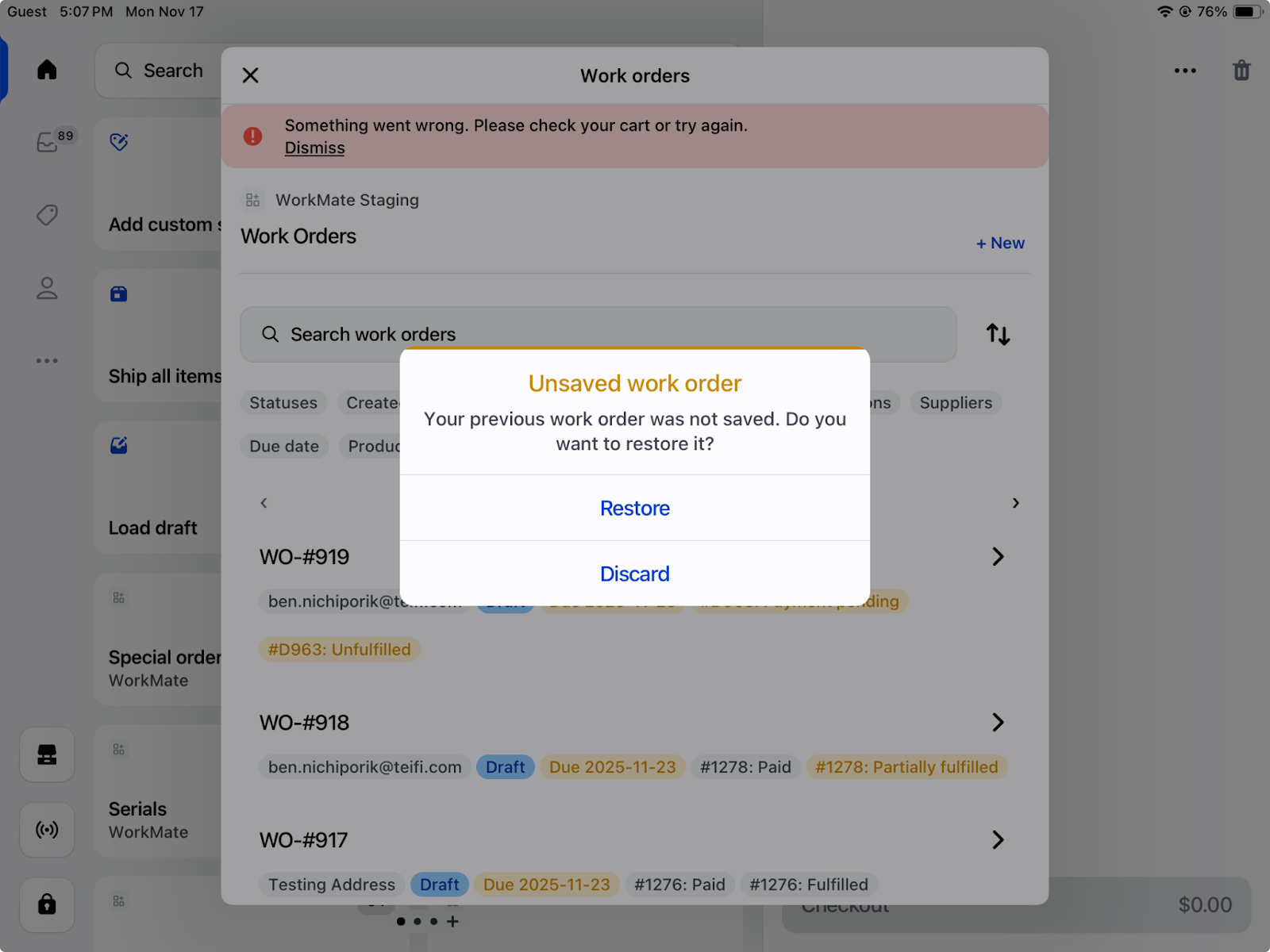
Work orders in Shopify POS will allow users to restore or discard unsaved changes if the Shopify POS app is closed or shut down. If WorkMate is closed unexpectedly while a work order form is being filled out, users will see a prompt to restore or discard their previous work when they return to the Work Order tile. This prevents data loss and reduces the need to re-enter information after interruptions.
**Multi-Location Inventory Visibility in Work Orders**\
\
Users can now view a product’s inventory levels across all store locations directly from a work order. By opening the product line item, a dropdown near the product title displays available, incoming, and other inventory quantities at each location, helping teams make informed sourcing decisions during work order creation.
**Requires Sourcing Labels and Availability Indicators**\
\
Products that do not have available stock at the selected work order location now display a Requires Sourcing badge after the work order is saved.
Additionally, when searching for products in the Add Product window, users can see location-specific availability for each item.
Together, these enhancements help staff quickly identify which products must be sourced via special orders or transfer orders before fulfillment.
**Default Values for Custom Fields**\
\
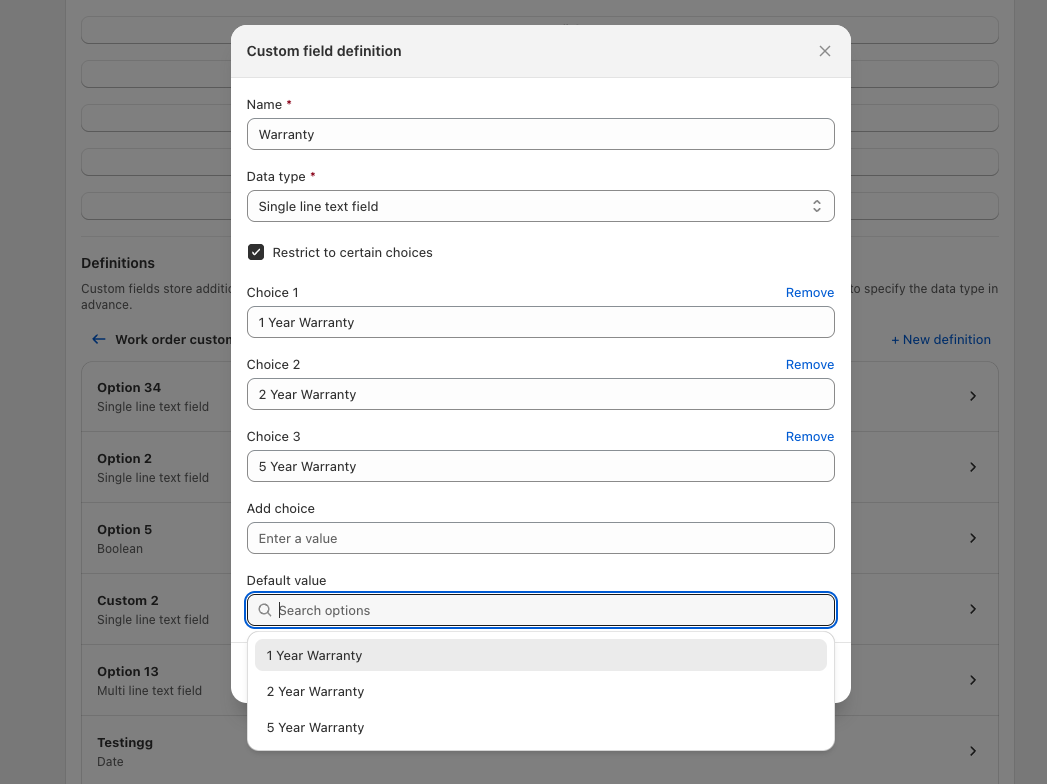
Users can now set default values for all custom field types when configuring custom fields for work orders and purchase orders in WorkMate settings. These defaults automatically populate whenever a custom field is added individually via the Add Field button or merged through a preset, significantly reducing manual data entry and ensuring consistent data across documents.
**SPIF Calculations on Services**\
\
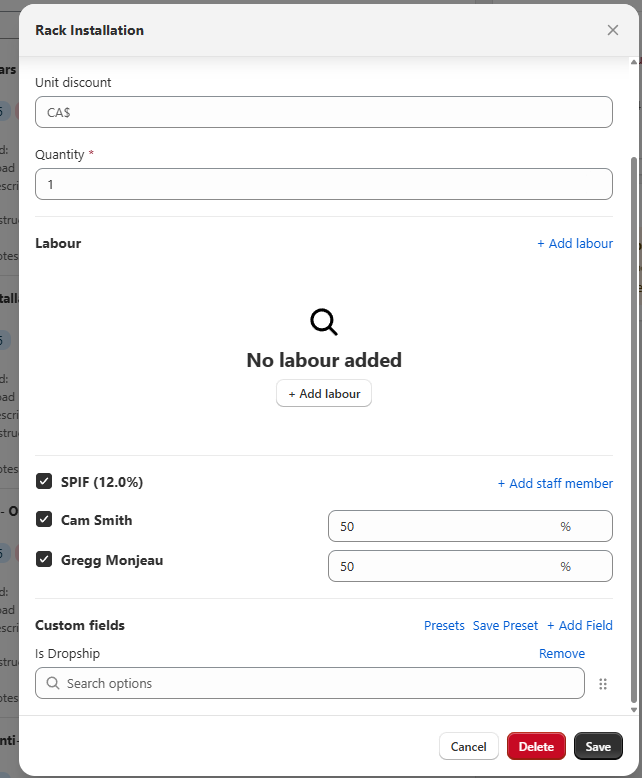
Service line items now support SPIF calculations, enabling businesses to define and track bonus payouts associated with services. This enhancement helps managers accurately calculate incentives for service staff and streamline how performance-based compensation is recorded.
**Purchase Order Line items Format Updates**\
\
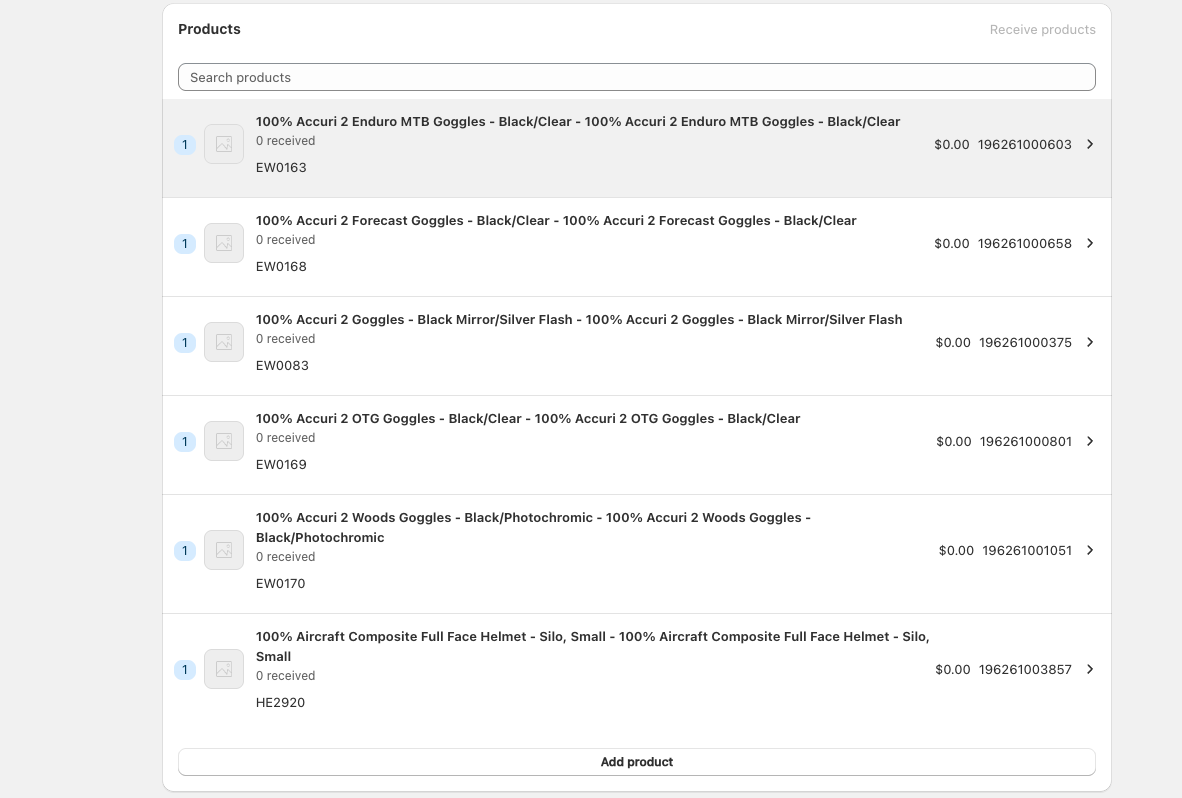
SKUs and barcodes are now visible directly on purchase order line items. This makes it easier for staff to cross-reference products against supplier catalogs and labels when placing or receiving orders, reducing errors and improving receiving accuracy. Another additional feature is the SKU's and Product cost are now visible.
**Enhanced Purchase Order Receipts and Serialization**\
\
Purchase order receipts now show both unit cost and total cost for received items. During receival, users can adjust unit costs to incorporate additional expenses such as freight, shipping, and duties, improving cost-of-goods accuracy. Serialization is also supported at receival, allowing merchants to assign serial numbers as products are received to support warranty management and precise inventory tracking.
**Purchase Order Transfers Between Stores on Shopify POS**\
\
Purchase orders can now be transferred between stores directly from Shopify POS. This enhancement supports stock replenishment workflows where one location helps fulfill demand at another, improving flexibility and responsiveness when sourcing inventory for customer orders.
The option to Transfer can be found at the bottom of the purchase order form
**SKU Visibility in Special Orders**\
\
Special orders now display each product’s SKU at the line item level. This helps staff quickly match items to supplier catalogs.
**Work Orders in Local Currency**\
\
Work orders now display product prices and summary balances in the currency tied to the shop location. Viewing work orders in local currency helps staff more accurately assess order value, review balances, and communicate costs to customers.
**Work Order Balances Updated by Partial Payments**\
\
Partial payments made against draft orders linked to work orders now automatically update the work order balance summary. Users can see at a glance how much has already been collected and the remaining amount due, improving transparency and follow-up on outstanding balances.
In this order it can be seen that $16,412.54 out of the $16,519.83 total balance is remaining
**Below-Cost Sale Warnings in Work Orders**\
\
When a product is sold at a price lower than its cost, the work order now displays a warning icon on the affected line item. This visual alert helps staff and managers quickly catch below-cost pricing and protect margin when adjusting prices or applying discounts.
**Location-Aware Scheduling and Auto-Populated Task Details**\
\
Schedules can now be filtered by store location so that managers see only the relevant tasks and staff for a specific location.
When creating tasks from a work order, due dates and assigned staff are automatically pre-populated based on the original work order due date and assigned technician, reducing manual data entry and tightening alignment between work orders and schedules.
**Color-Coded Services and Reorder-able Tasks**\
\
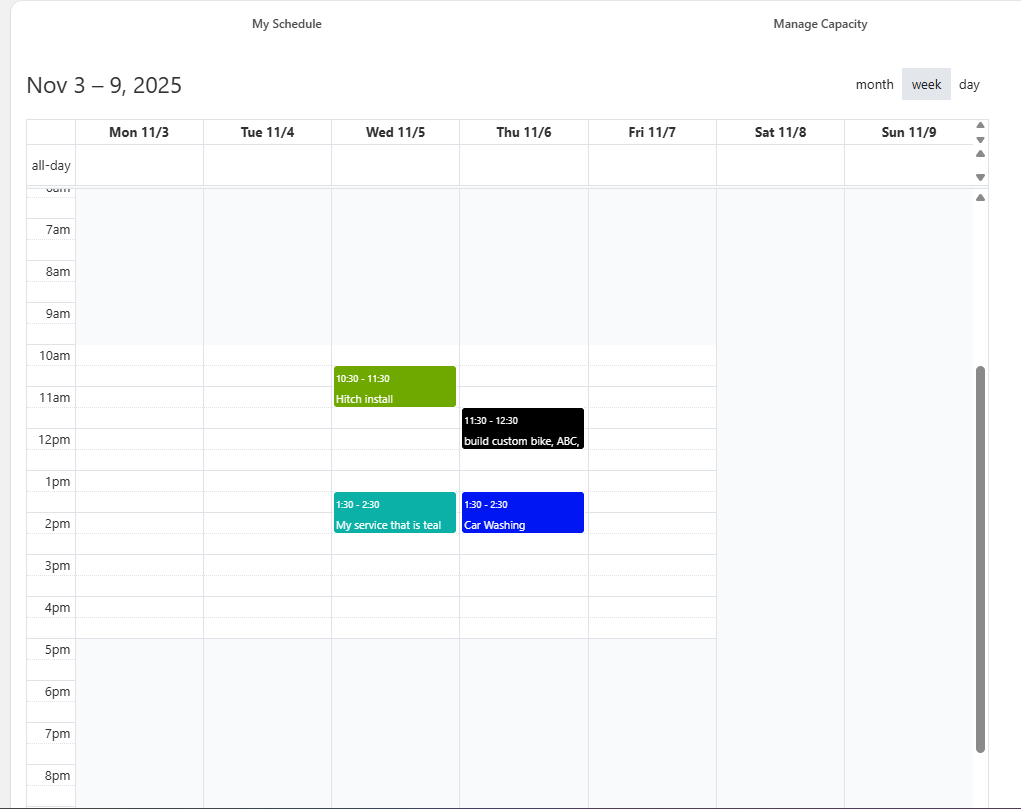
Services displayed on the calendar can now be color coded, enabling teams to create visual systems for service types and quickly scan schedules for specific work.
Within the scheduling view, tasks associated with a service can be reordered via drag-and-drop, giving managers the flexibility to tailor task sequences to their preferred workflow.
**Multi-Task Services Configuration**\
\
Services can now include multiple tasks, providing clearer job scopes and step-by-step visibility for technicians working on a work order. This structure allows teams to track progress at the task level and better understand the overall status of complex jobs.
**Enhanced Work Order Filtering by Due Date and Location**\
\
Work orders can now be filtered by due date and assigned shop location. These filters help teams prioritize work based on urgency and improve visibility into active jobs at each location.
**Comprehensive System Improvements**
This release includes extensive bug fixes and minor enhancements across multiple modules, including schedules, serials, purchase orders, rentals, work orders, employee management, add-ons, POS and admin services, price overrides, and payment systems. These improvements ensure greater system stability and enhanced user experience across all platform components.