> For the complete documentation index, see [llms.txt](https://workmate.gitbook.io/workmate-changelog/llms.txt). Markdown versions of documentation pages are available by appending `.md` to page URLs; this page is available as [Markdown](https://workmate.gitbook.io/workmate-changelog/updates/feb-17-2026.md).
# Feb 17, 2026
26.2.17
### Work Order Module
**Mandatory Field Selection (Configurable in Settings)**
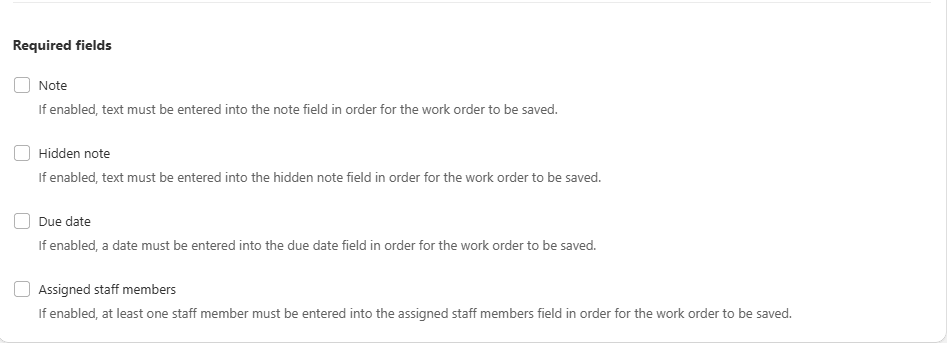
You can now choose which standard Work Order fields are required from **Settings → Work Orders**. The following fields can be set as mandatory:
* **Assigned Staff Member**
* **Note**
* **Hidden Note**
* **Due date**
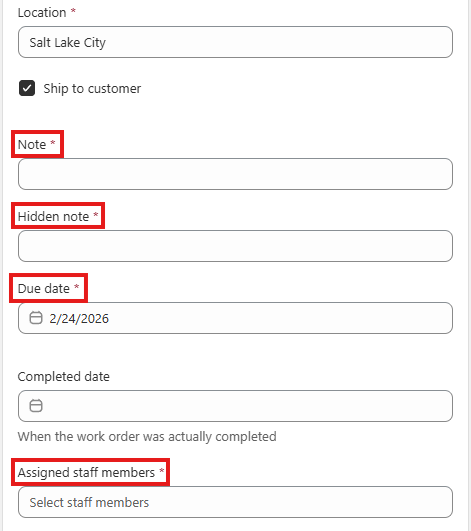
Required fields show a red asterisk on the Work Order page, and WorkMate blocks saving until they are filled in.
**Sync Tax Settings with Draft Orders (Tax Exemption)**
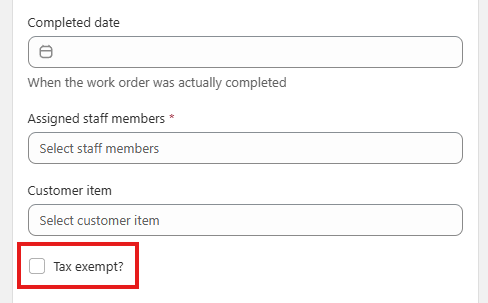
Tax exemption now stays in sync between a Draft Order and its linked Work Order. If you mark a Draft Order as **tax-exempt**, then make changes in the Work Order, the Draft Order will keep the tax exemption setting instead of being overwritten.
**Tax Calculation Uses “Ship to Customer” Field**
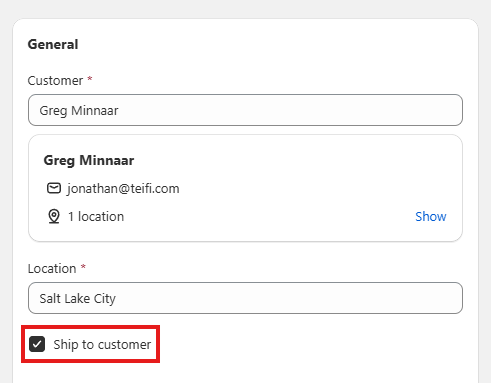
WorkMate now calculates tax based on the **Ship to customer** checkbox in the Work Order:
* If **unchecked**, tax is calculated using the **store location**.
* If **checked**, tax is calculated using the **customer location**.
This helps ensure the tax calculation matches whether the order is being picked up in-store or shipped to the customer.
### Purchase Order Module
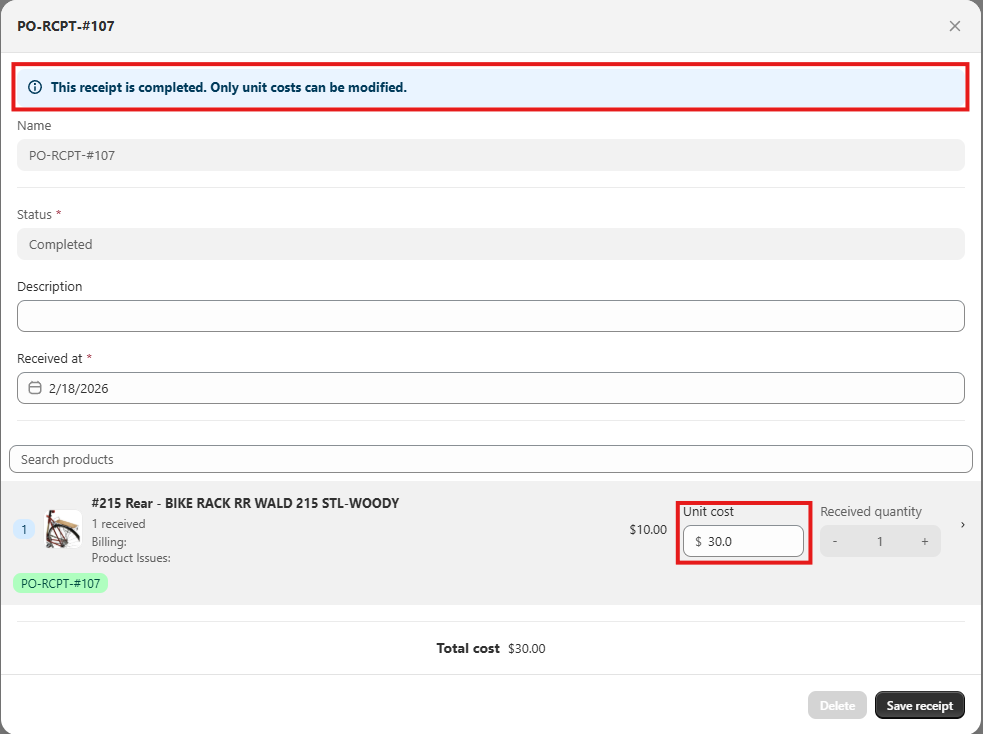
**Edit Unit Costs in Completed Receipts**
Modify item unit costs in **completed** PO receipts. This includes permission controls so you can decide which users are allowed to make cost edits after receipt completion.
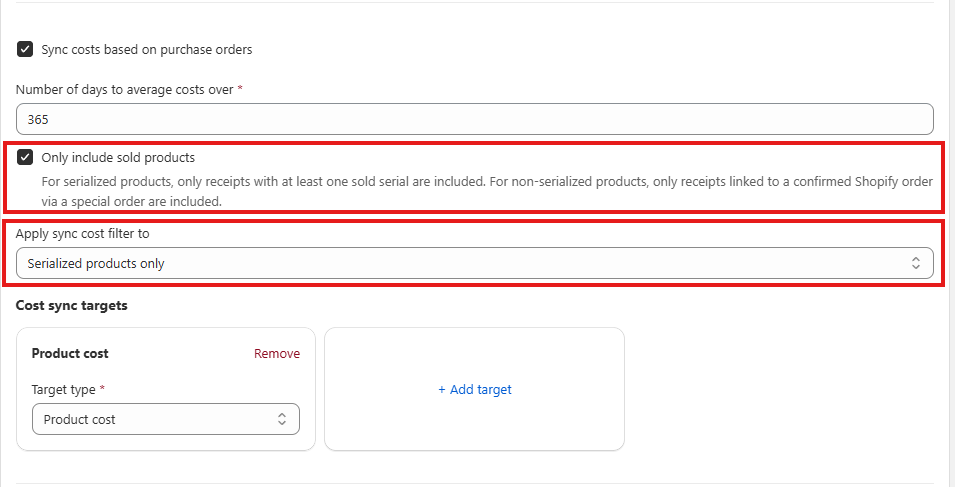
**Cost Averaging (Weighted Average Cost) for Serialized Products**
WorkMate now supports an enhanced **Weighted Average Cost (WAC)** calculation. Navigate to **Setting → Purchase Orders.**
* **When WAC updates:** WAC is recalculated **when new inventory is received**.
* **What’s included in the average:** WAC can include items that have been **received and sold**, not only items that are currently on hand. Sold items continue to affect the average until they fall outside the rolling window.
* **Rolling window:** WAC uses a configurable **rolling window** (default: **12 months**). Any received or sold items outside the window are excluded.
* **Configurable scope:** In admin settings, you can choose whether WAC applies to **all products** or **serialized products only**. You can also configure the window length.
**Separate Created By and Assigned Staff Columns**
Purchase Orders now show **Created By** and **Assigned Staff Member** as separate columns, so it’s clear who created the PO versus who is assigned to the Purchase Order. Filters for each column are now supported as well.
### Schedule Module
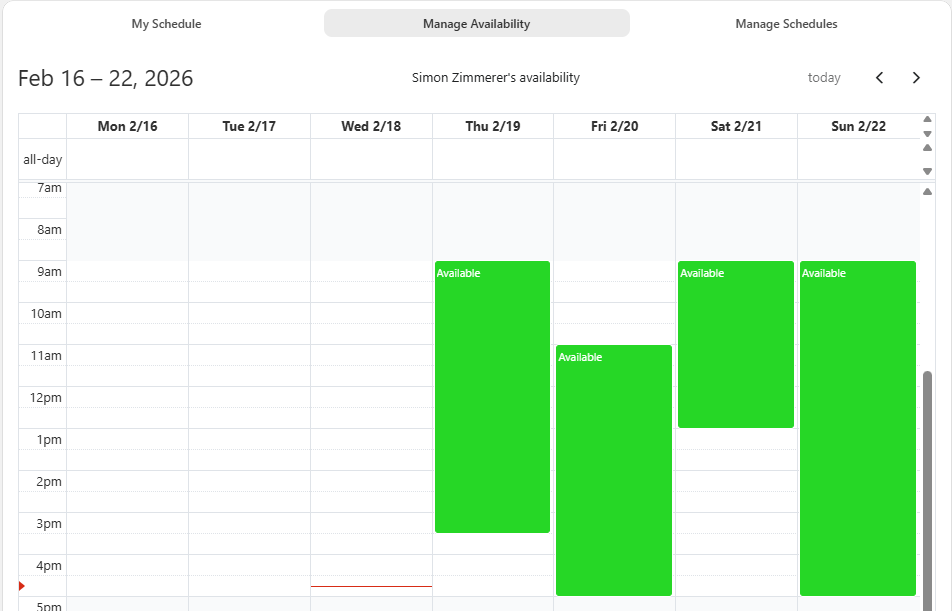
**Edit Staff Weekly Hours with Repeat**
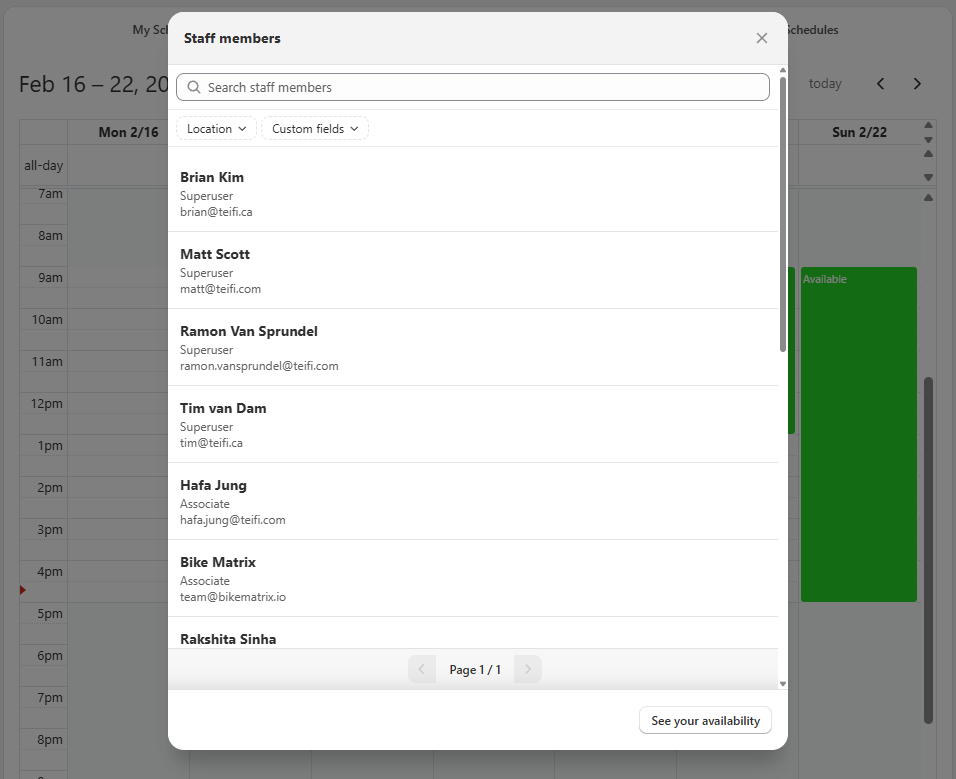
Managers and admins can now edit any employee’s weekly working hours and availability. This is done in **Schedule → Manage Availability,** then click the employee availability button shown below.
Select which employee's availability you want to update. Use repeat to apply the same schedule across multiple weeks, instead of updating week-by-week manually.
**Improved Filter Usability**
Schedule filters are now easier to use in high-volume workflows:
* Staff search and filters are shown upfront.
* Staff are displayed upfront in a scrollable list.
* You can use checkboxes to show or hide tasks/events per staff member.
**Comprehensive System Improvements**
This release includes extensive bug fixes and minor enhancements across multiple modules, including schedules, serials, purchase orders, rentals, work orders, employee management, add-ons, POS and admin services, price overrides, and payment systems. These improvements ensure greater system stability and enhanced user experience across all platform components.